After Class savings Pass
The My Barrie After Class Savings Pass, created in partnership with the Downtown Barrie BIA, is completely free and designed exclusively for Georgian College and Lakehead University students. Discover student-friendly deals, discounts and offers at participating local restaurants, shops, attractions and experiences while earning points as you explore.

how to use your pass
Sign Up for Your Pass
Getting started is easy. Choose one of two ways to create your free account:
Option 1: Sign Up with Google
Select “Continue with Google” and follow the prompts to sign in using your Google Account.
Option 2: Sign Up with Email
Create an account using your email address and a password. Once you sign up, you will receive a verification email. Follow the instructions in the email to confirm your account and complete your registration.
Save Your Pass for Easy Access
Once you’ve signed up, make your pass easy to find whenever you’re out exploring Barrie.
Option 1: Bookmark Your Pass
When you are on the My Barrie After Class Savings Pass landing page, bookmark the page in your web browser so you can quickly return to it whenever you want to browse or redeem an offer.
Option 2: Add Your Pass to Your Home Screen
For quick access from your phone:
1. Open your web browser and go to the My Barrie After Class Savings Pass webpage.
2. Tap the Share button at the bottom of your screen - the square with an arrow pointing up.
3. Scroll through the options and tap Add to Home Screen.
4. Follow the prompts to add the pass to your phone’s home screen.
Navigate Your Pass
Once you’ve signed up, you can easily log in or out of your pass by selecting the person icon in the top-right corner.
Browse Available Coupons
All available coupons are displayed on the pass. Simply scroll through the page to discover offers from participating Barrie businesses. Participating businesses can be viewed pinned to the map, making it easy to see what’s nearby, or switch to Grid View to see more details about each offer. Click on any business to view its offer, points available and redemption information.
When you find an offer you’d like to use:
1. Select the coupon you’re interested in.
2. Review the offer and redemption details.
3. Visit the participating business.
4. When you’re ready to redeem your offer, select “Redeem Coupon.”
5. Your coupon will pop up on your screen. Show the coupon to a staff member to receive the offer.
Please Note: Location Required
Coupons can only be redeemed when you are within the geolocation of the participating business. This helps ensure that you are actually out exploring Barrie while earning points toward your digital badges and prize draw entries.
Track Your Coupons, Points & Badges
Want to see how you’re progressing?
Here you can see:
- Your redeemed coupons - shown in blue
- Coupons still available to redeem - shown in grey
- Your points and progress
- Your digital Explorer badges
earn points & unlock badges
The My Barrie After Class Savings Pass is more than just great local offers - it rewards you for exploring Barrie.
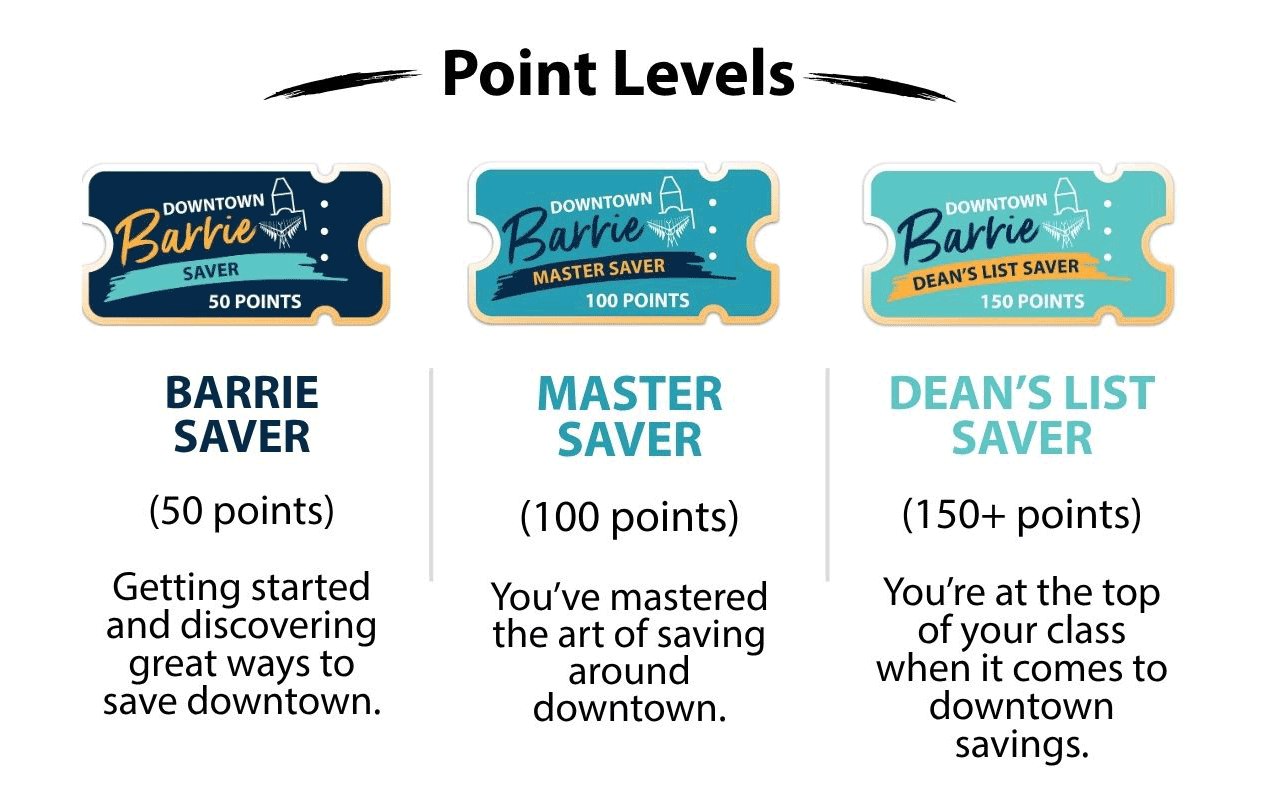
Every time you redeem a coupon, you’ll receive 10 points. As you collect points, you’ll unlock new Digital Saver Badges that celebrate your progress. Your badges can be viewed anytime through your profile.
And there’s another reason to keep exploring: each new badge level also gives you an entry into Tourism Barrie’s prize draws. The more you explore, the more coupons you redeem. The more you redeem, the more points you earn.